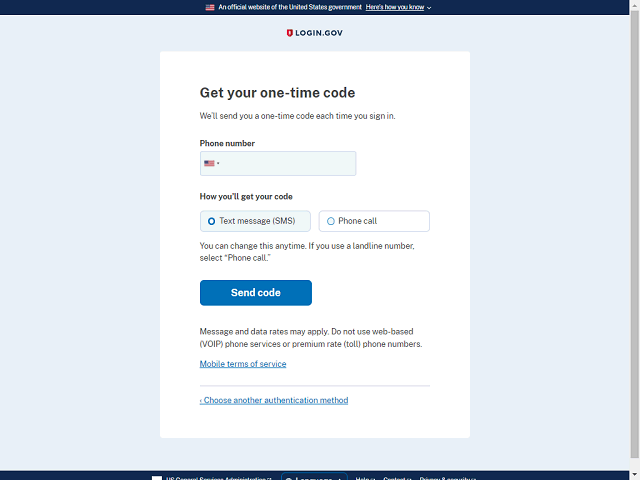

Enter your phone number in the text field.
Note: International users must click the Flag icon to select the appropriate country code. The text message or phone call option is not available for every country
In this example, enter "2025555555" in the Phone Number field.