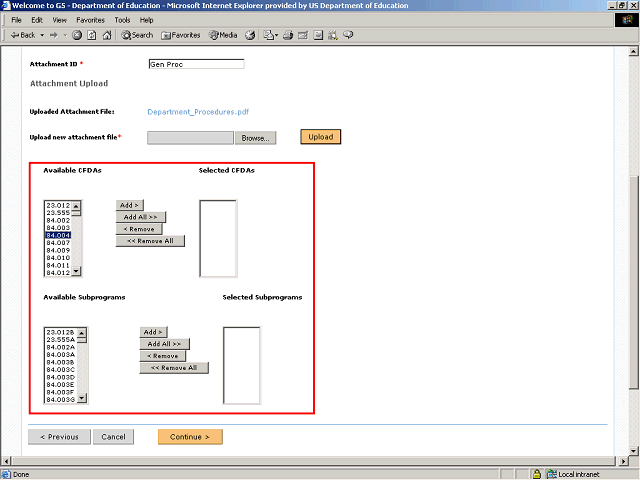
You may select one or many CFDAs to which the attachment will be attached or you may select one or many subprograms.
Note: If you select only a CFDA or CFDAs, the system will automatically attach the attachment to all the subprograms associated with the CFDA(s). However, if you select a subprogram or several subprograms, the attachment will only be attached to the subprogram(s) you selected and you do not need to choose the associated CFDA(s).