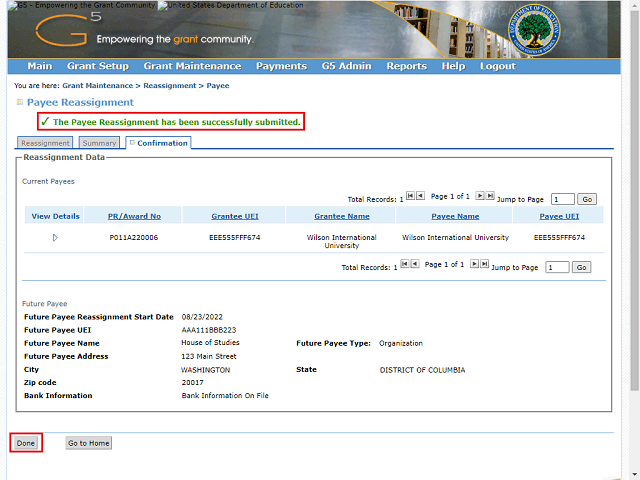
The system displays a message indicating that the payee reassignment has been successfully submitted.
Note: If you would like to create additional payee UEI reassignments, you may click the Done button and return to the search screen to repeat the process.