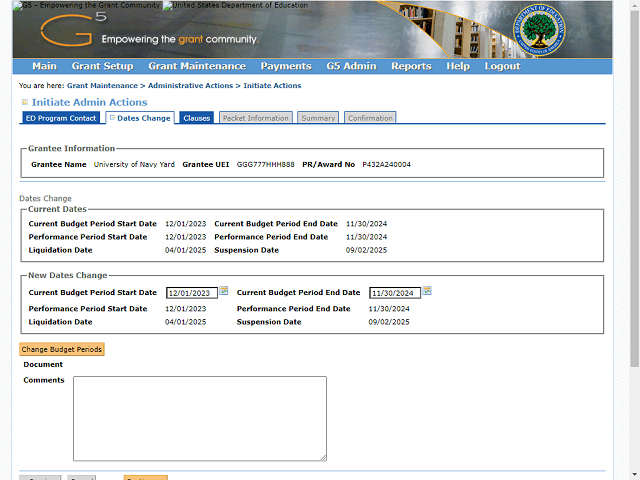

The following example will provide instructions for creating a no-cost time extension.
In this example, click the Select a Date icon next to Current Budget Period End Date field to modify the budget period end date.
Note: You can also enter the new budget period end date manually by typing in the field.