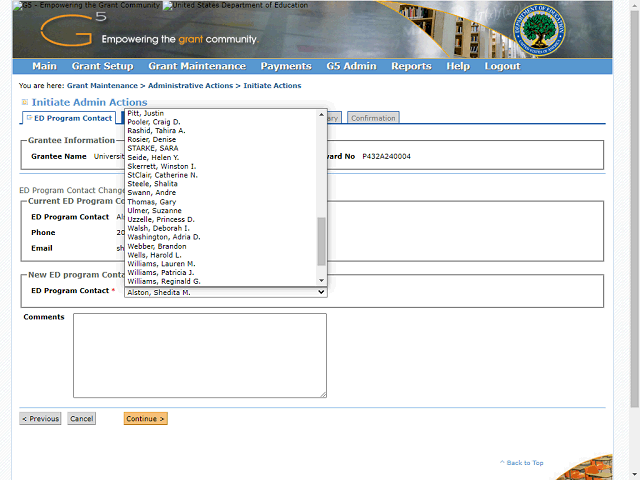

Select the new ED Program Contact from the dropdown list.
In this example, select Justin Pitt.
Note: The list of available ED Program Contacts is populated from the assigned grant team. If the desired ED Program Contact's name does not appear, ensure the person is added to the grant team by contacting the person who creates grant schedules for your Program Office or the OBSS Help Desk.