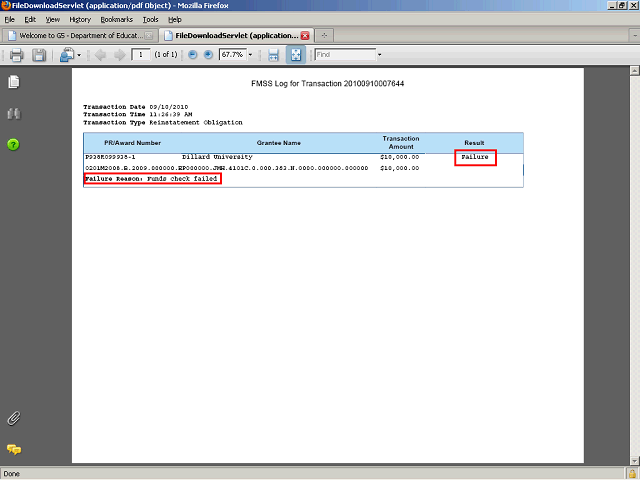

The log displays with the information including the ACCS, the reinstatement amount and the result in FMSS. This transaction failed, and the log also gives the failure reason for you to take corrective action.
Click the Close button to return to the search results screen.